▣ IPTV MAIN GUIDE

IPTV Main Guide

Learn how to set up IPTV Main and start streaming on your compatible device with our simple installation and activation guides.

⚙
Step by Step Instructions
▣
All Devices Supported
▶
IBO Player Pro Setup
▤
Troubleshooting & FAQs
Get Started →
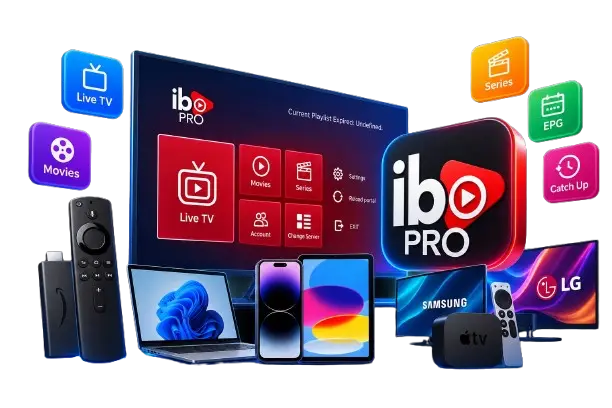
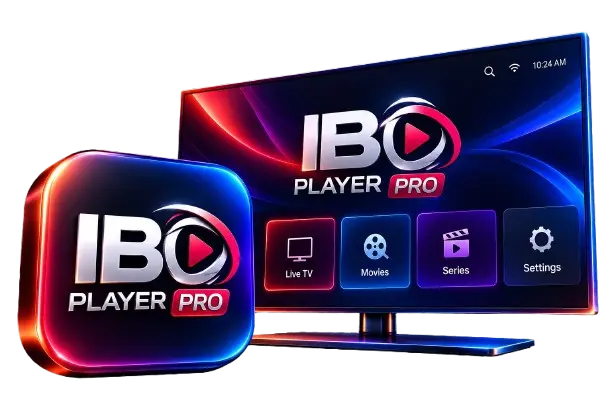
IPTV Main Guide with IBO Player Pro and supported devices
RECOMMENDED IPTV PLAYER

Use IPTV Main With IBO Player Pro

IBO Player Pro is our recommended IPTV player for setting up IPTV Main on compatible devices. It provides a simple way to access your IPTV service and manage Live TV, Movies, Series, EPG and Catch Up content.

IBO Player Pro Recommended

Get IBO Player Pro included free for the first 12 months with your IPTV Main subscription.

✓ After the first 12 months, the IBO Player Pro app may require a separate renewal according to the app provider's terms.
Simple Setup

Follow our step-by-step guide to get IPTV Main running on your compatible device.

Multiple Devices

Use IBO Player Pro across supported Smart TVs, Firestick, Android, iOS, Windows and more.

Easy IPTV Access

Enter your IPTV details and access your available Live TV, Movies, Series and EPG content.

Step-by-Step Support

Follow our device-specific tutorials to make your IPTV Main setup simple and straightforward.

WORKS ON SUPPORTED DEVICES

Choose Your Device

Follow the IPTV Main setup guide for your device and get started with IBO Player Pro.

IBO Player Pro

IBO Player Pro

Our recommended IPTV player for a simple and smooth setup.

Get Setup →
Amazon Firestick IPTV setup

Firestick

Quick and easy IPTV Main setup on Amazon Fire TV Stick.

Get Setup →
Samsung Smart TV IPTV setup

Samsung TV

Follow the simple IPTV Main setup guide for Samsung Smart TVs.

Get Setup →
LG Smart TV IPTV setup

LG Smart TV

Simple IPTV Main setup instructions for compatible LG TVs.

Get Setup →
Apple TV IPTV setup

Apple TV

Learn how to set up IPTV Main on your compatible Apple TV.

Get Setup →
iPhone and iOS IPTV setup

iPhone / iOS

Follow the IPTV Main setup guide for iPhone and compatible iOS devices.

Get Setup →
Android IPTV setup

Android

Set up IPTV Main on compatible Android phones, tablets and devices.

Get Setup →
Windows PC IPTV setup

Windows PC

Follow the IPTV Main setup instructions for your Windows computer.

Get Setup →
HOW IT WORKS

How to Set Up IPTV Main

Getting started is simple. Follow these four steps to set up IPTV Main on your compatible device.

01

Choose Your Device

Select your device and open the setup guide designed specifically for your device.

02

Install IBO Player Pro

Install IBO Player Pro on your compatible device and open the application.

03

Add Your IPTV Details

Enter the IPTV details provided with your IPTV Main subscription and complete the setup.

04

Start Watching

Once your setup is complete, access your available Live TV, Movies, Series and EPG content.

Ready to set up IPTV Main?

Choose Your Device →
IPTV MAIN ACTIVATION

Activate IPTV Main With IBO Player Pro

After installing IBO Player Pro, follow these simple steps to connect your IPTV Main playlist to the app.

IBO PLAYER PRO
Scan QR Code
01

Scan the QR Code

Open IBO Player Pro on your device. When the QR code appears, use your phone to scan it and open the IBO Player Pro Manage Playlist page.

02

Add Your IPTV Details

On the Manage Playlist page, choose your preferred connection method and enter the IPTV details provided by our support agent.

Xtream API M3U
03

Reload Your Playlist

Return to IBO Player Pro on your device and reload the playlist. Your IPTV Main playlist should then appear in the app.

✓
Need help? Our support team can provide the IPTV details needed to complete your setup.

Need the full IBO Player Pro instructions?

View IBO Player Pro Guide →
SMART TV EXPERIENCE

IPTV Main EPG & Catch Up

Stay in control of your viewing with EPG and Catch Up features available with IPTV Main on supported channels.

EPG TV GUIDE

Electronic Program Guide

See what's currently showing and what's coming next with an easy-to-follow Electronic Program Guide. IPTV Main EPG is available across many UK, European and US channels.

Up to 7 Days of Programme Information
↻ CATCH UP

Catch Up TV

Missed a programme? Catch Up lets you go back and watch previously available content on supported channels, giving you more flexibility over when you watch.

Available on Supported Channels
Note: EPG and Catch Up availability can vary depending on the channel and available programme data.
QUICK TROUBLESHOOTING

IPTV Main Troubleshooting

Having an issue with IPTV Main? Try these quick troubleshooting steps before contacting our support team.

01

IPTV Main Is Not Loading

If your playlist is not loading, check your internet connection and reload the playlist in your IPTV player.

  • Check your internet connection
  • Reload your IPTV playlist
  • Restart your app or device
02

Channels Are Buffering

Buffering can sometimes be related to your internet connection or the individual channel you are trying to watch.

  • Check your internet stability
  • Restart your IPTV player
  • Try another available channel
03

EPG Is Not Showing

If the Electronic Program Guide is not displaying correctly, try refreshing your playlist and restarting the app.

  • Reload your IPTV playlist
  • Check EPG availability for the channel
  • Restart IBO Player Pro
04

IPTV Main Is Not Working

If IPTV Main is not working on your device, check your device compatibility and make sure your IPTV details were entered correctly.

  • Check that your device is supported
  • Verify your IPTV details
  • Restart the IPTV player
NEED MORE HELP?

Still Having Trouble?

If you have tried the steps above and still need help, our support team is ready to assist you with your IPTV Main setup.

Contact IPTV Main Support →
GUIDE FAQ

IPTV Main Guide FAQ

Find quick answers to common questions about setting up and using IPTV Main with IBO Player Pro.

The IPTV Main Guide provides step-by-step information for setting up and using IPTV Main on supported devices with IBO Player Pro.

IPTV Main can be used on supported devices including Amazon Firestick, Android devices, Samsung Smart TVs, LG Smart TVs, Apple TV, iPhone and iOS devices, and Windows PCs.

IBO Player Pro is the recommended IPTV player for IPTV Main. It provides a simple way to add your IPTV details and access your playlist on supported devices.

After installing IBO Player Pro, use the QR code shown in the app to access the official playlist management page. Enter the IPTV details provided by our support team, then reload your playlist in the app.

Yes. IPTV Main setup can use either Xtream API or M3U, depending on the setup method supported by the player and the details provided by our support team.

Yes. IPTV Main provides EPG information on many UK, European and US channels, with programme information available for up to 7 days where supported.

Catch Up is available on supported channels, allowing you to access previously available content when the feature is provided for that channel.

Follow the relevant device guide first. If you still need assistance, contact IPTV Main support and our team can help you with the setup process.

Need more help with your IPTV Main setup?

Contact IPTV Main Support →